Signing off an appraisal: What do the different ‘Statuses’ mean and what do they do?
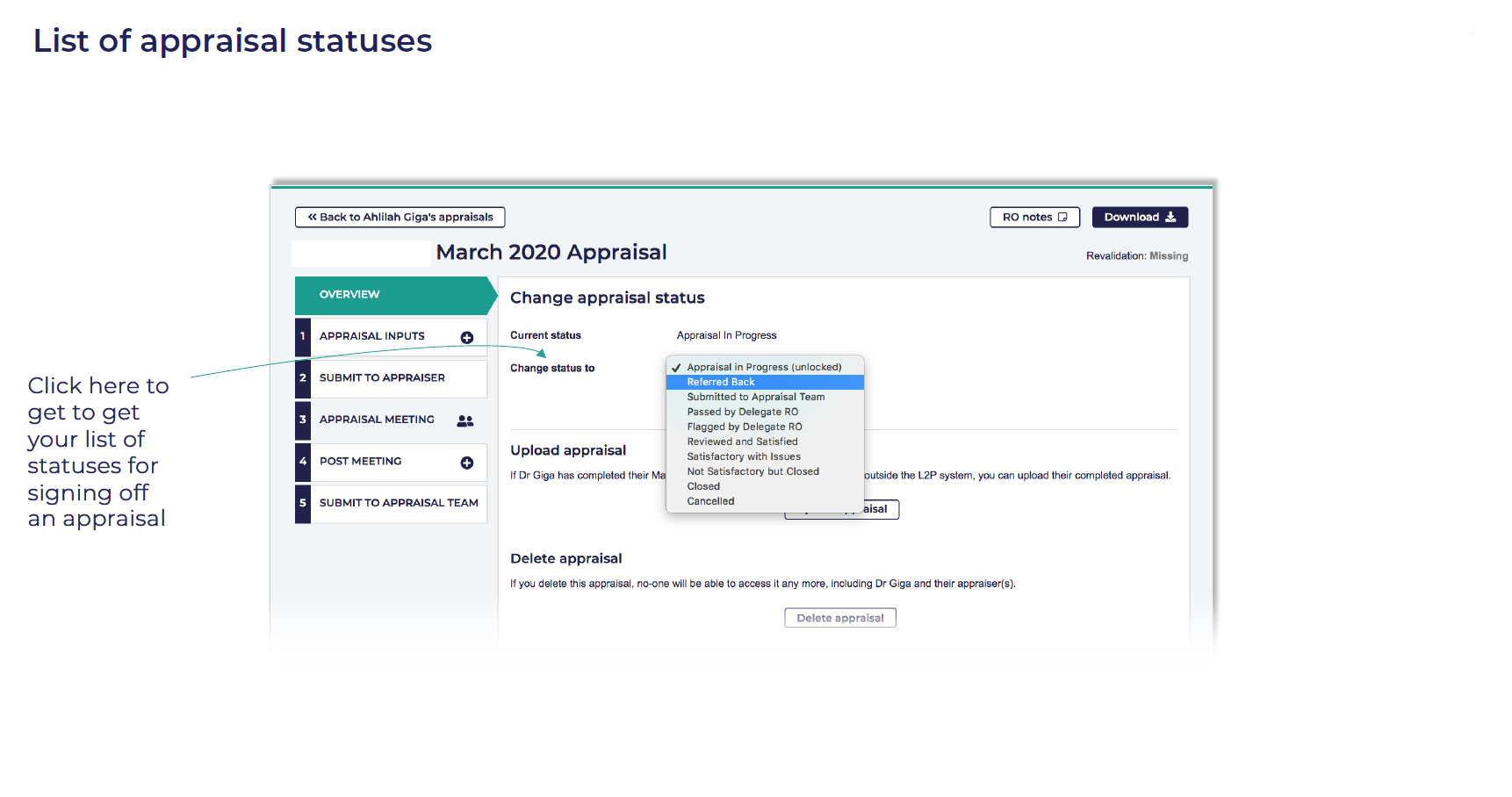
Appraisal in Progress (unlocked):
• This is the status that’s applied all the way up to the time the appraiser submits it to the revalidation team (whereupon it’s locked for editing)
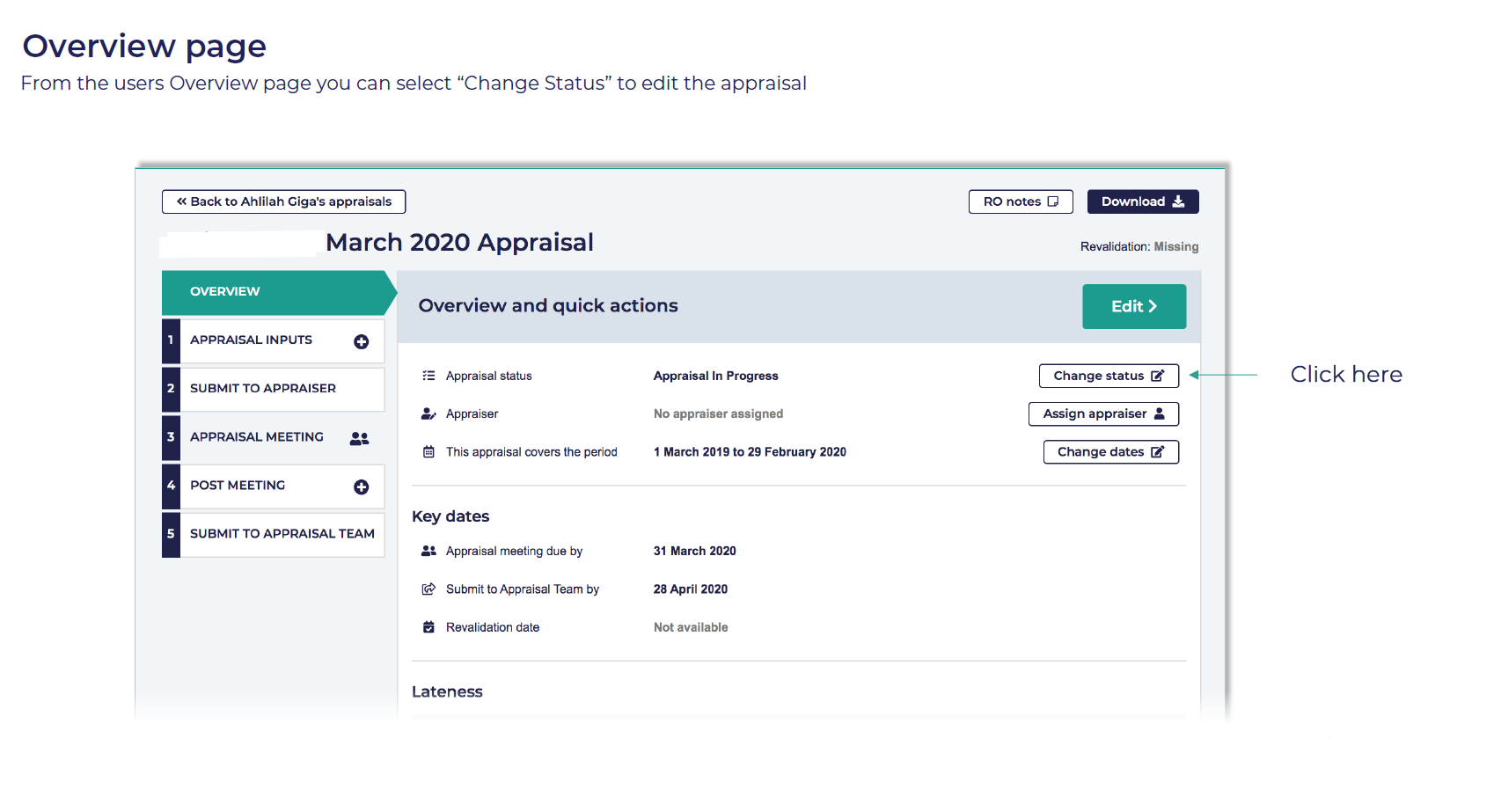
• The only way to re-instate this status once the appraisal has been submitted is for the RO or administrator to ‘Change status’. This might be if the appraiser contacts you and says that they’ve submitted it by mistake and want it unlocked so they can continue to work on it.
Referred back:
• This is where something on the appraisal needs sorting before being signed off.
• It will unlock the appraisal so that it can be edited.
• And sends a note (that you write) as an email to the doctor and appraiser (this note will also be stored in doctor’s ‘Notes’ history).
• It changes the status of that appraisal on your dashboard to ‘Referred back’, and turns it amber.
• But it does not alter the submission date for your NHS England reports. Even though you may have re-opened the appraisal, L2P takes the first submission date for the reports.
Submitted to appraisal team:
• This is the status once the appraiser has submitted it, but it has not yet been processed by you.
 Appraisal in Progress (unlocked):