- Sign in to your L2P account.
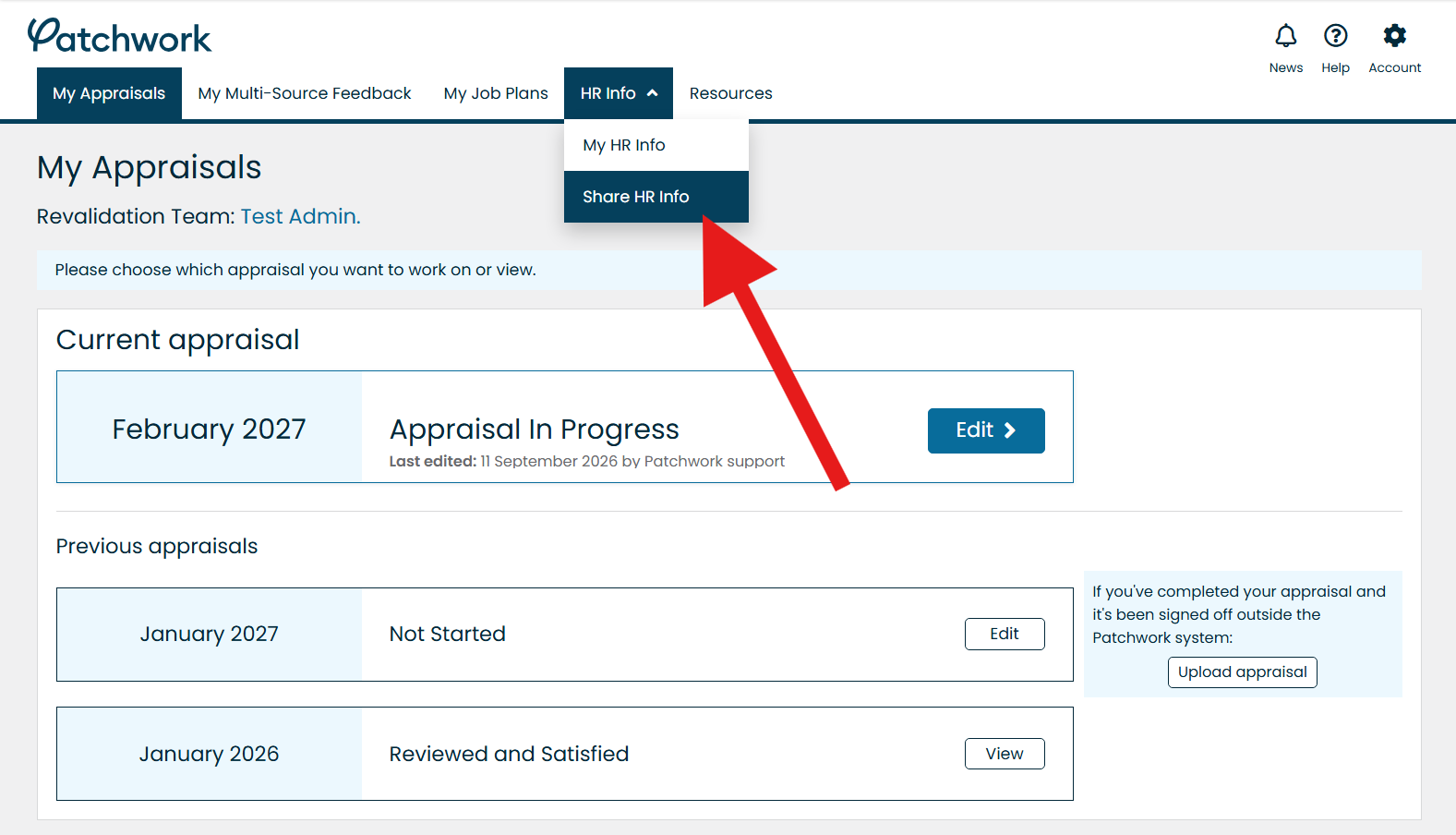
- Open the HR Info tab.
- Select Share My HR Info.
- Under Organisation requesting Access, find your new organisation and accept its request.
Please refer to the screenshot below for guidance.
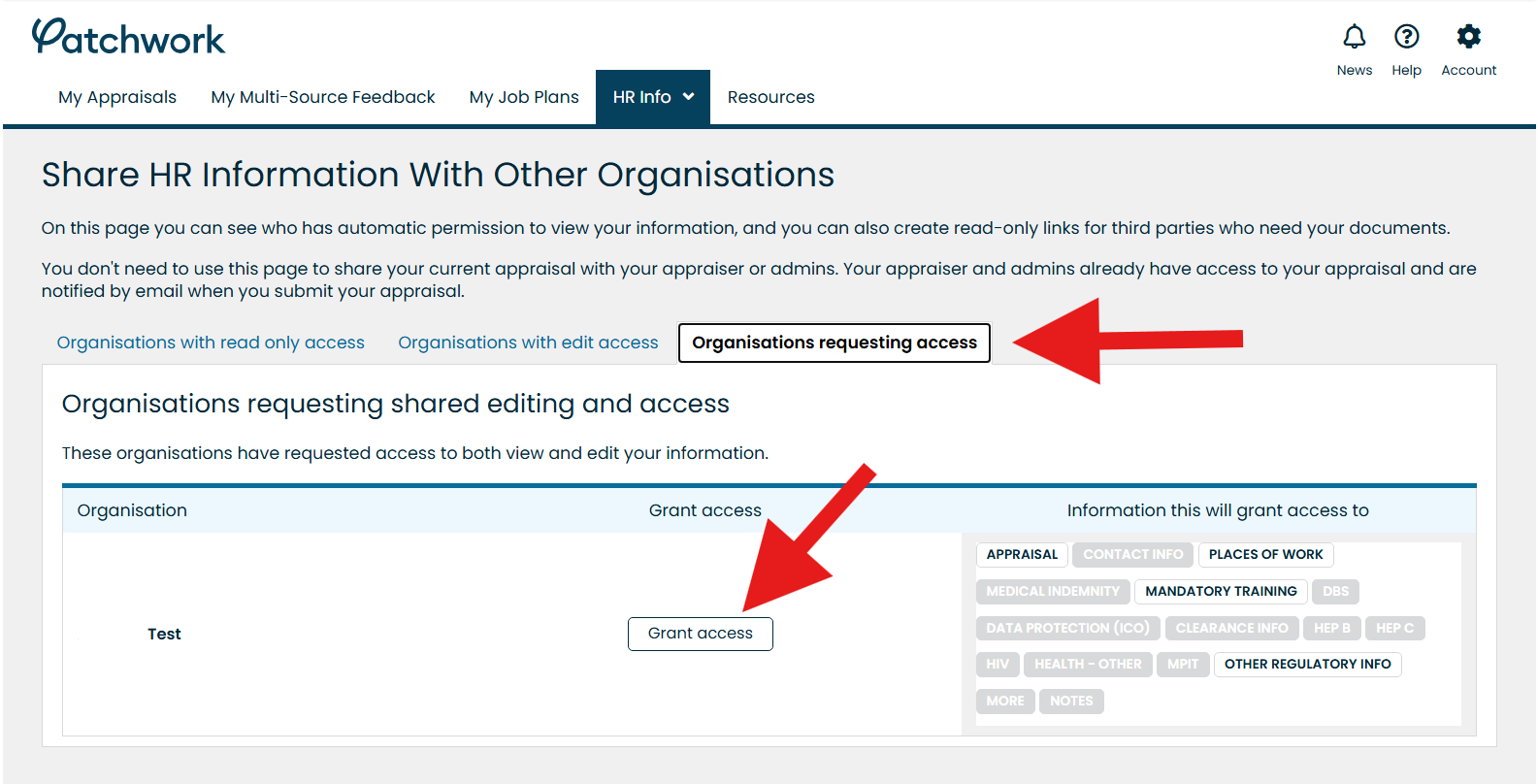
Please refer to the screenshot below for guidance.