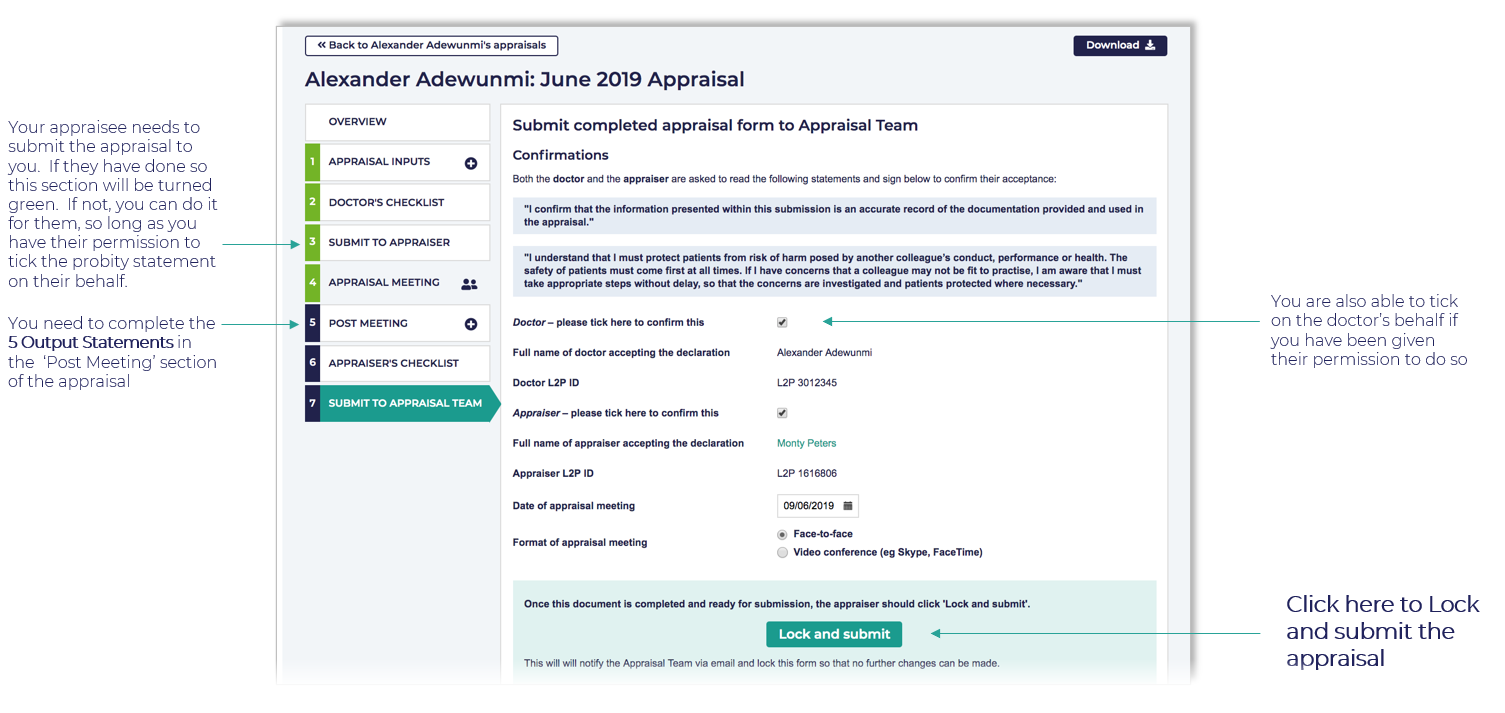
Submitting the appraisal to the Revalidation/Appraisal team
To submit your appraisal to the Revalidation/Appraisal team, complete your checklist, add comments, fill in the 5 Output Statements in the Post Meeting section, and confirm your appraisee has submitted the appraisal to you. Once all sections are complete, the submit action becomes available in L2P.
A red highlight always shows you the reason why you cannot complete an action on L2P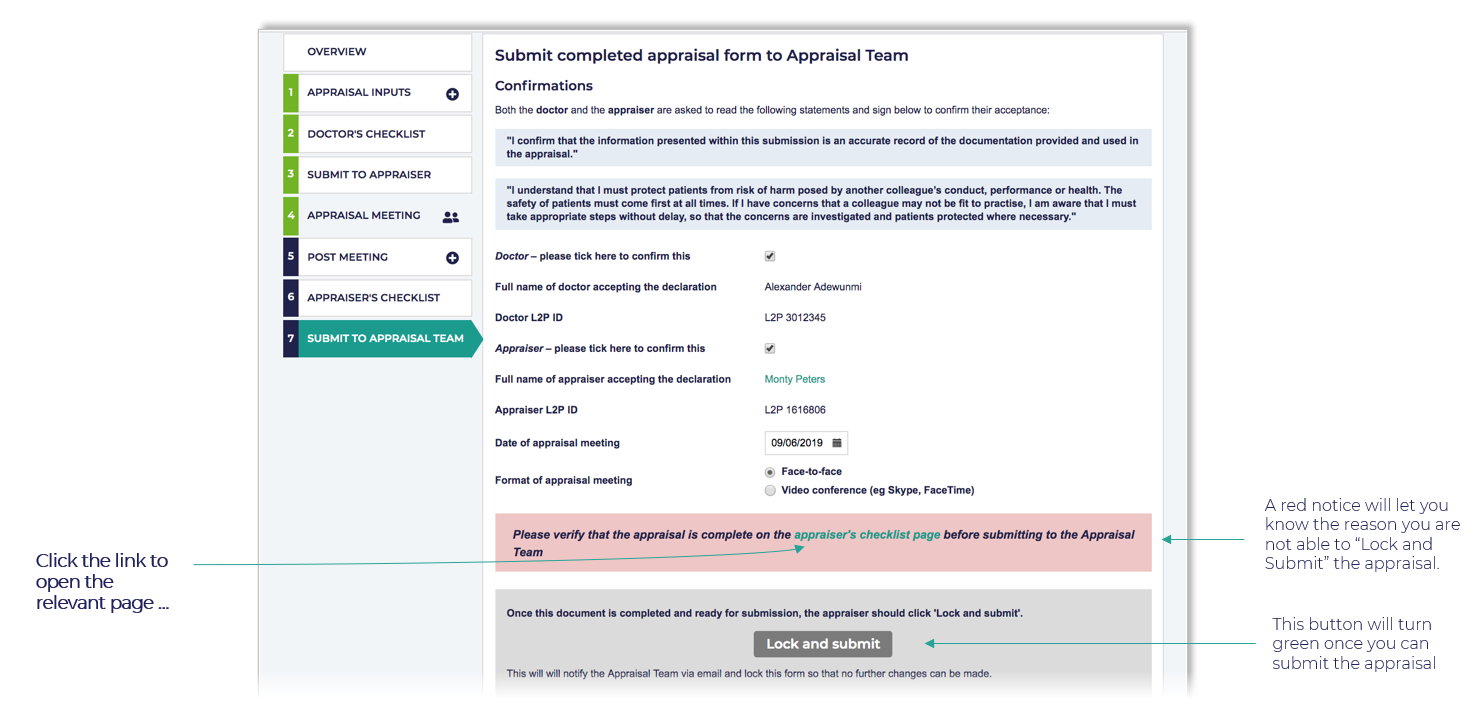
Completing your checklist and comments
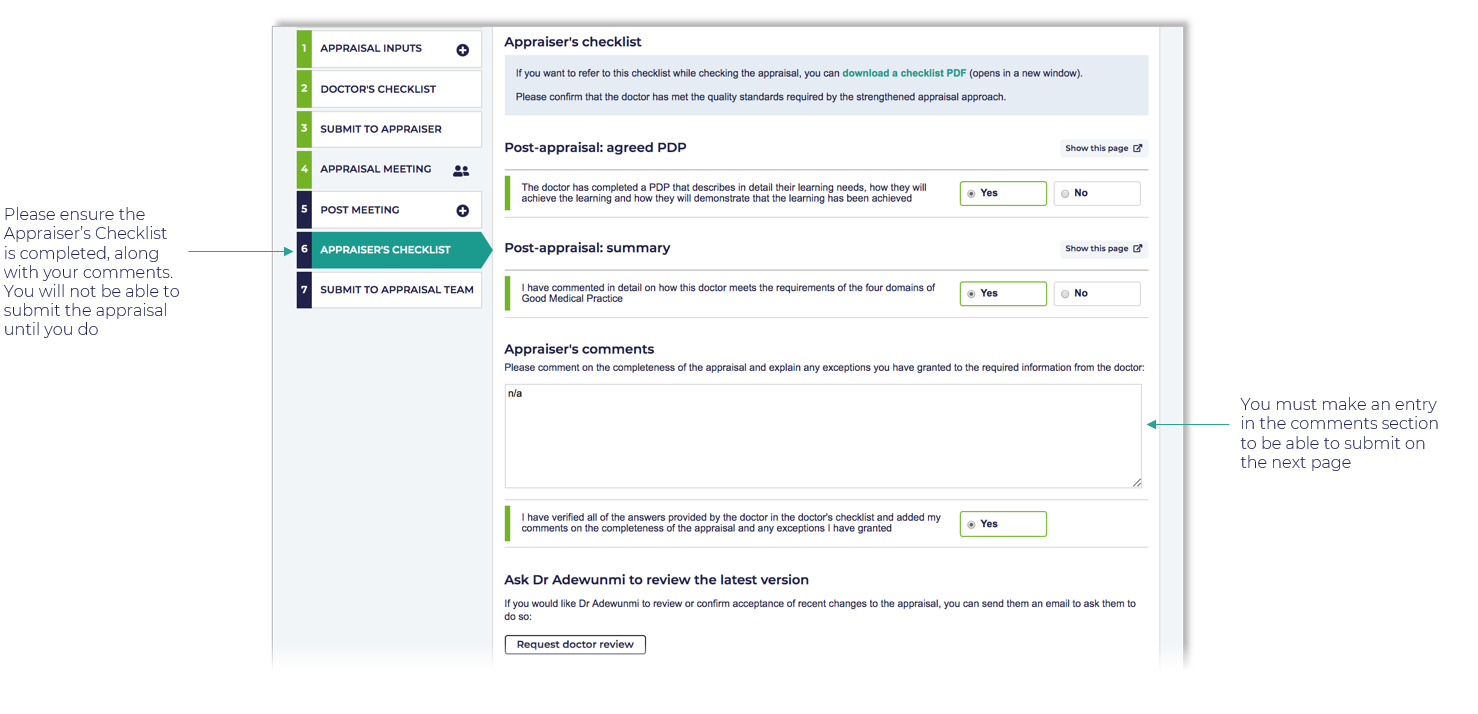
What must be completed before submitting the appraisal?
Before submitting, ensure all of the following are complete:
- All relevant checklist sections are filled in and comments have been added where required.
- The 5 Output Statements in the Post Meeting section are completed. To do this, open the appraisal, select the Post Meeting tab, and fill in each of the five output statement fields.
- Your appraisee has Submitted the appraisal to you — a status indicator on the appraisal overview screen confirms this. If they have not yet submitted, ask them to log in and submit before you proceed.